
These are instructions on how to jailbreak your iPhone 4 on the 5.0b1 firmware using RedSn0w for Mac. Since iOS 5.0 has not yet been released these are instructions for developers only. This procedure will cause you to upgrade your baseband potentially ruining your chances for an unlock, it will not hacktivate so you must have your UDID registered with a developer, and it is tethered.
Step One
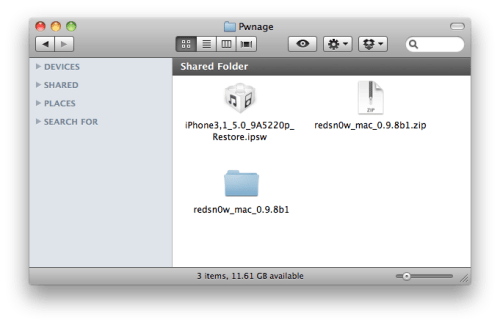
Create a folder on your desktop called Pwnage
Download RedSn0w and place it in the Pwnage folder. Likewise, download the latest 5.0b1 firmware from the iOS developer center and place it in the same folder.
5.0b1: iPhone3,1_5.0_9A5220p_Restore.ipsw
Extract the RedSn0w zip file by double clicking it.
Step Two
Connect your iPhone to the computer and launch iTunes.

Select your iPhone from the list of devices on the left. Now hold down Option and click the Restore button. Restore is preferred as it won't create any wasted space on your iPhone.

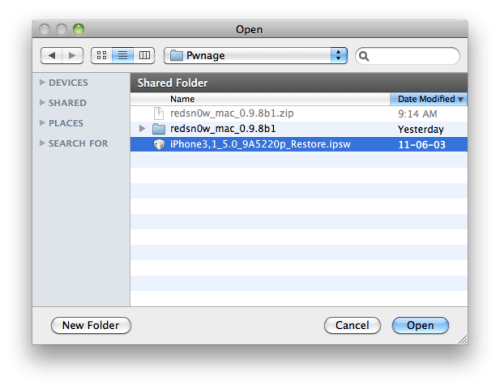
Navigate to the Pwnage folder on your desktop and select the 5.0b1 firmware ipsw. Click the Choose button to continue.
Step Three
Once iTunes has finished updating your iPhone to the desired firmware open the Pwnage folder on your desktop and launch the redsn0w application from the redsn0w folder we extracted earlier.

Step Four
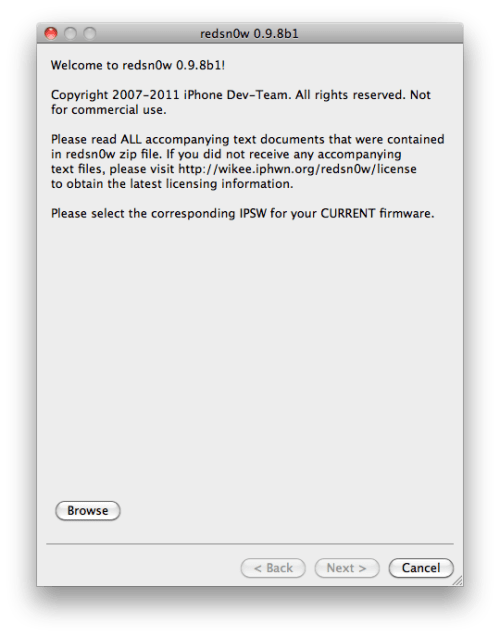
Once RedSn0w opens click the Browse button
Step Five
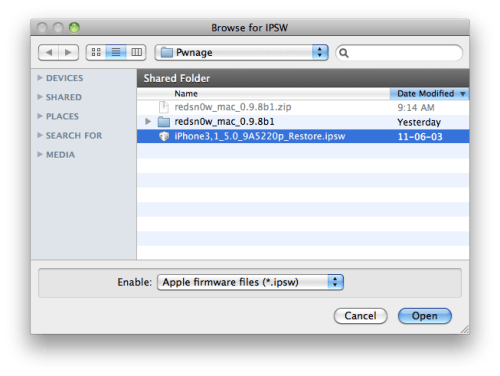
Select the 5.0b1 firmware ipsw we placed in the Pwnage folder on our desktop then click Open.
Step Six
Once the firmware has been verified click the Next button to continue.
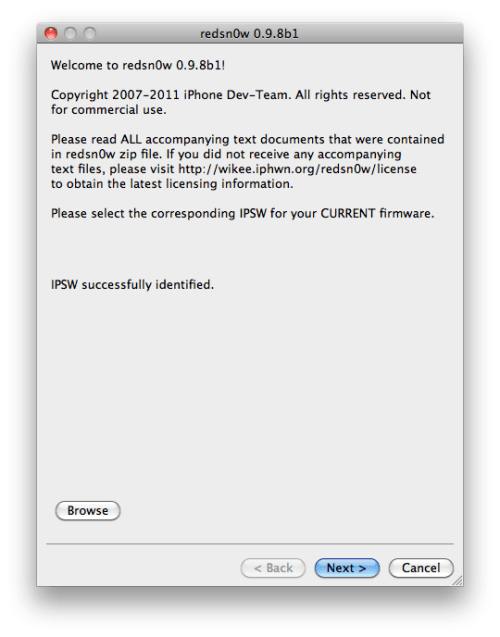
Step Seven
RedSn0w will now prepare the jailbreak data
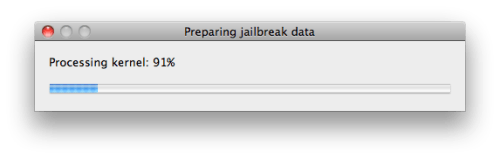
Step Eight
From this window you can select the jailbreak options you would like.
Make sure Cydia is selected and click the Next button to continue
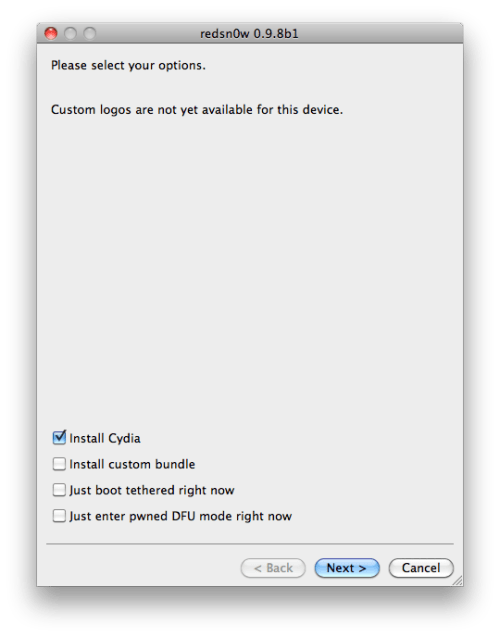
Step Nine
Please plug your iPhone into the computer and make sure its OFF then click the Next button
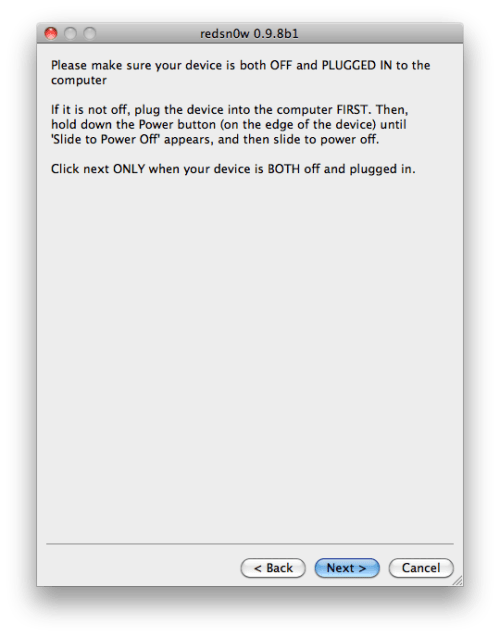
Step Ten
RedSn0w will now guide you through the steps to get into DFU mode. You can find more help with DFU mode here
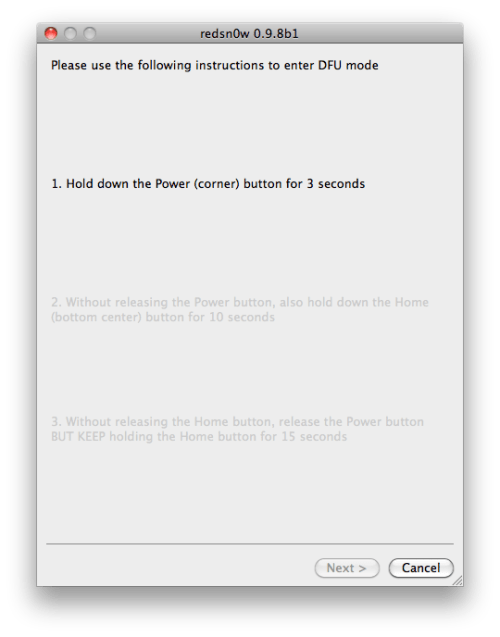
Hold down both the Home button and the Power button for 10 seconds.
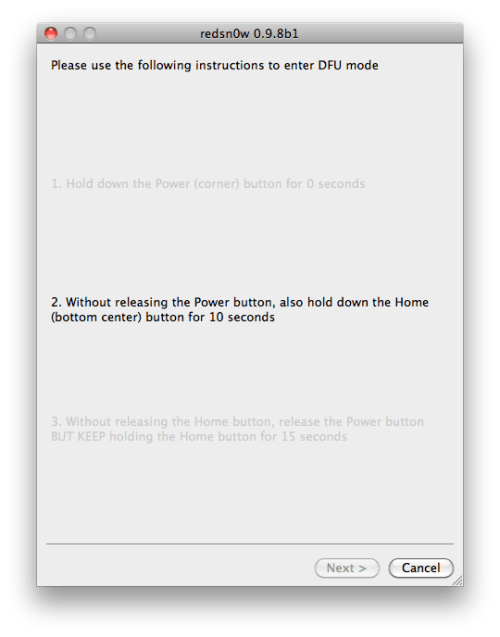
Release the Power button and continue holding the Home button until RedSn0w detects the device.
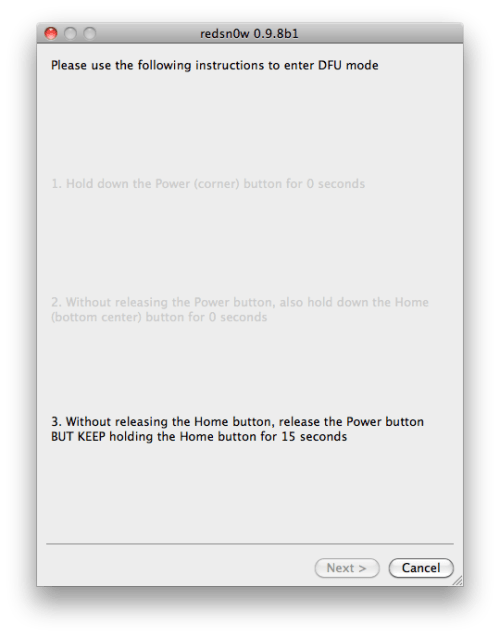
Step Eleven
Your iPhone will now reboot
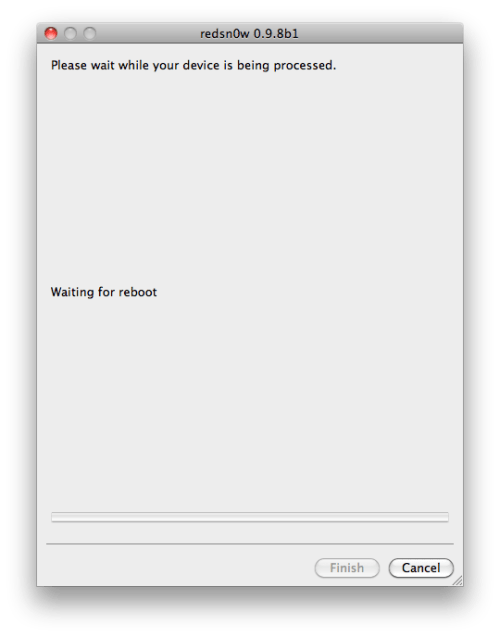
Step Twelve
RedSn0w will then begin uploading the new RAM Disk and Kernel.
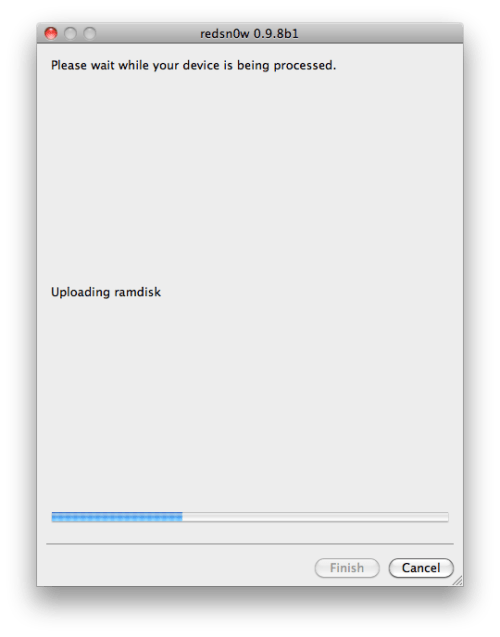
Step Thirteen
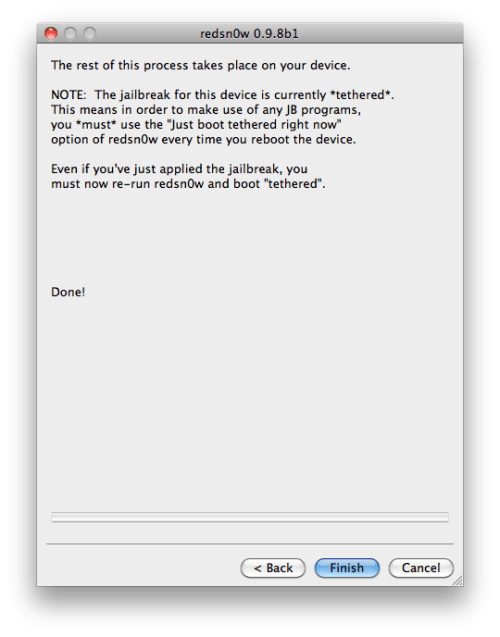
Once this is complete you will be notified that RedSn0w is done. Click the Finish button. When your iPhone finishes rebooting (5 minutes or so) it will be jailbroken with Cydia on the SpringBoard.
*As usual a big thanks to the iPhone Dev-Team and Geohot for their hard work and contribution to the iPhone community.
Download redsn0w 0.9.8b1 :
Red | Snow


Broken Sword: Director's Cut v1.4
Description:
Paris in the Fall… a brutal murder at the Palais Royale. When Nico Collard is invited to interview statesman Pierre Carchon, she finds herself inextricably drawn into a terrifying conspiracy.
One of the all-time classic adventures, multi BAFTA-nominated 'Broken Sword: Director’s Cut' pitches sassy journalist Nico Collard, and intrepid American George Stobbart into a mysterious journey of intrigue and jeopardy. Guide George and Nico on their globe-spanning adventure, exploring exotic locations, solving ancient mysteries, and thwarting a dark conspiracy to reveal the secret truths of the Knights Templar.
Featuring a widely-praised touch interface, 'Broken Sword: The Director’s Cut' introduces an intricate new narrative thread, alongside the classic story that has charmed millions of players. It’s time to experience George and Nico’s worldwide adventure in a whole new way, with brand new puzzles, hilarious new jokes, and the distinctive, rich story that made the series so deservedly renowned. This is adventure gaming at its very best.
“…this is a must-play game: a latter day blockbuster in a director’s cut form”. The Independent online (5/5)
“An extraordinary example of how to properly remake a classic”. Pocket Gamer (9/10)
“Broken Sword's creative touch interface works like a charm on the iPhone screen”. Touch Arcade
Broken Sword: Shadow Of The Templars has always been a stellar example of video games' potential as a storytelling medium; now it also serves as a masterclass in porting to a handheld platform. With its glistening presentation, adroit controls and additional content, this is arguably one of the finest titles to appear on the App Store to date. Reforging the Sword on the iPhone was a stroke of genius.
5/5
Full English speech, with the option for subtitles in English, French, German, Spanish or Italian.
Download link


